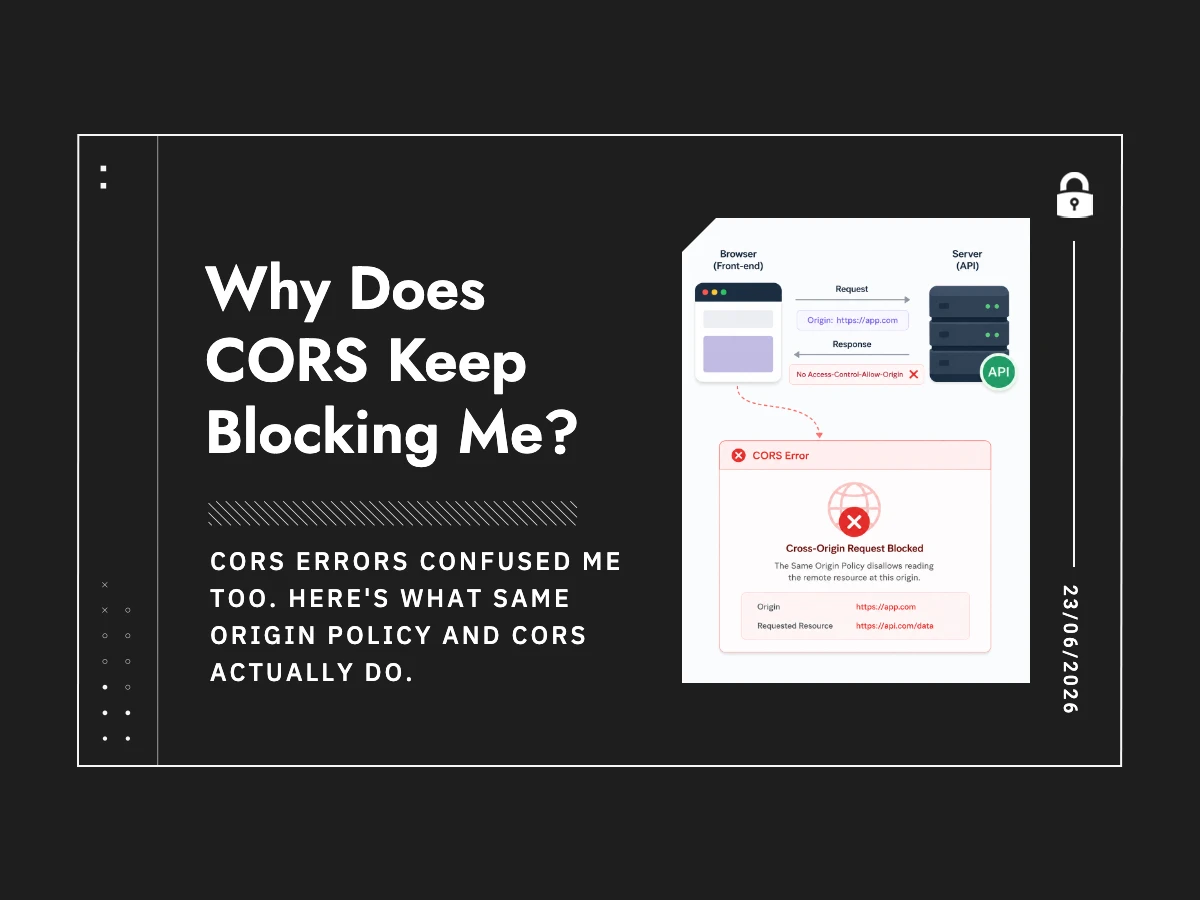
Why Does CORS Keep Blocking Me?
You’ve seen it. You’re building something, you make a fetch call to an API, and the browser console lights up red:
Cross-Origin Request Blocked: The Same Origin Policy disallows reading the remote resource at https://api.example.com.
Your first instinct is that something is broken. It isn’t. The browser is doing exactly what it’s supposed to do.
Here’s what’s actually going on.
The Browser’s Default Paranoia: Same Origin Policy
Browsers enforce something called the Same Origin Policy (SOP). The rule is simple: JavaScript on one origin cannot read responses from a different origin.
“Origin” means the combination of protocol, domain, and port. https://app.example.com and https://api.example.com are different origins, even though they share a root domain. So are http://example.com and https://example.com — the protocol difference is enough.
This exists for a very good reason. Without it, any website you visit could use your browser to make authenticated requests to your bank, your email, your admin panel — and read the responses. Your cookies would go along for the ride, because that’s how browsers work. SOP is the thing standing between normal web browsing and that scenario.
CORS Is the Exception, Not the Solution
CORS — Cross-Origin Resource Sharing — is how servers say “actually, requests from this origin are fine.” It’s the server granting exceptions to SOP, using HTTP response headers.
The browser doesn’t trust JavaScript to self-certify. It asks the server: “Is this origin allowed?” The server answers through headers. If the answer is yes and the headers match, the browser lets JavaScript access the response. If not, the request is blocked — even if the server returned a 200.
That last point trips people up. The request often goes through. The response gets blocked on the browser side. CORS errors don’t expose the details to JavaScript code — all it sees is a failed request. You have to open the Network tab in DevTools to see what actually happened.
The Headers That Matter
Access-Control-Allow-Origin
This is the main one. The server sets it to declare which origins can read its responses. If your frontend is at https://app.example.com and your API is at https://api.example.com, your API needs to return:
Access-Control-Allow-Origin: https://app.example.com
You’ll often see * (wildcard) suggested as a quick fix. It works for public, unauthenticated APIs. For anything involving cookies or user sessions, the browser rejects * entirely — so that “fix” won’t actually fix anything.
Access-Control-Allow-Credentials
If your app sends cookies or uses session-based auth, you need this set to true on the server. And crucially, when credentials: 'include' is set on the fetch call, Access-Control-Allow-Origin must be a specific origin, not *. The browser enforces this hard rule.
Access-Control-Allow-Methods and Access-Control-Allow-Headers
Needed when you’re using HTTP methods beyond GET/POST, or sending custom headers like Authorization or Content-Type: application/json. These trigger what’s called a preflight request — the browser sends an OPTIONS request first to check whether the actual request is permitted before sending it.
Preflight: The Extra Round Trip
When a request isn’t “simple” — the Fetch spec defines simple requests as basic GETs and POSTs with standard content types — the browser fires a preflight OPTIONS request to the same URL before attempting the real one.
The server needs to respond to that OPTIONS request with the appropriate CORS headers. If your backend framework isn’t configured to handle OPTIONS or strips those headers on preflight responses, CORS will fail even if your actual endpoint is set up correctly. This is one of the most common points of confusion.
Where Things Go Wrong
The mistakes that cause CORS headaches are almost always on the server side, not in your frontend code.
The most dangerous misconfiguration is dynamically reflecting whatever origin the request sends — basically echoing back the Origin header as Access-Control-Allow-Origin without checking it against a whitelist. PortSwigger’s research on CORS vulnerabilities covers this in depth: if an attacker controls a domain and your server just reflects any origin, your API’s CORS policy becomes effectively useless against cross-site attacks.
Other common mistakes:
- Setting
Access-Control-Allow-Origin: *while also settingAccess-Control-Allow-Credentials: true— the browser blocks this combination by design - Forgetting to handle OPTIONS preflight on the server, so the check fails before the real request gets through
- Configuring CORS correctly on the application layer, but a reverse proxy (Nginx, a load balancer) strips or overwrites the headers before they reach the browser
The Right Mental Model
CORS is not a security mechanism you configure on your frontend. Your JavaScript cannot control it, bypass it, or configure it. It’s a contract between the server and the browser.
If you’re hitting CORS errors on a third-party API you don’t control, there’s no frontend fix — you route requests through your own backend, which then calls the API server-to-server. Server-to-server calls aren’t subject to SOP. Only browsers enforce it.
If you’re building the API, you set the CORS headers. MDN’s CORS implementation guide is worth bookmarking — it covers exactly which headers to set and when. Most frameworks have middleware that handles this, but understanding what that middleware is actually doing will save you hours when something doesn’t behave as expected.
The error message is annoying, but the mechanism it’s enforcing is the reason you can browse the web without every site you visit raiding your other tabs.